Categories
Uncategorized

AGM59 Art Photography Websites 10 March 2021

On Wednesday 10 March 2021, the class had a seminar focusing on websites that represent photographic and other visual practitioners.

The following is an adaptation of the presentation by Eva Benssasson, who is a photographic website specialist. This is so I can processs then follow the guidance and advice given during this seminar in regards to my own website.

The aim of this module is to make or review my own website, and to consider how it:

  • Suits my photographic practice (look and feel mood)
  • Easy to use (usability, even if my idea is to create an off-piste user journey)
  • Functions – what interactive elements are needed (functionality – slide shows, embedded videos, social media widgets, etc)

And to ensure that I am aware of the following:

  • My website’s audience
  • My website’s aims/KPI (Key Performance Indicators)
  • My industry’s terminology, standards, and best practice
  • Making a website is an ongoing process:
    • Iterative
    • ‘Unfinished’
    • Subject to review

Planning My Website (or reviewing my existing site)

Scoping the Field

  • Consider how the websites are structured and presented
  • What choices have been made for the visual layouts, terminology, and navigation?
  • What do I think works well?
  • What could be improved?
  • Does the artist have a social media presence and if so how is this incorporated, or not?
  • Consider who I think this website is aimed at:
    • This may not be obvious, consider what might mark a successful interaction e.g. reaching a certain page, downloading a pdf, dwell time, a commercial transaction.

Further advice on how I can do this has been outlined in this additional post:

Planning – Sitemap

For planning, a sitemap is often made as a spider diagram or a tree diagram.

Planning – Wireframe

The purpose of wireframes is to determine the structure and functionality of the web pages they depict, for example how many elements on the page, where will the navigation be. For this reason, wireframes are usually skeletal and lack colour or style, which is added later after the structure has been determined.

  • Make by hand
  • Or Coggle, Mockingbird, or others.
  • Adaptive/responsive? (how will it show for smartphones and mobile devices)

Actions

  • Sketch out website.
    • Be selective
    • What do I want my site to ‘be’?
    • What specific functionality do I want?
    • What is most important?
    • What is my ‘trade-off’?
    • What is the best fit for me ideas?
  • Create ‘wireframe’.
  • Check costs
    • £218pa on Squarespace for Business subscription

Building

  • Website Builders / Content Management Systems
    • pros, cons, who would benefit
    • what to look out for All-in-One solutions

There are many ‘automatic’ ways of generating a website from templates, which I can then customise with your own content, look, and feel. These ‘website builders’ are effectively Content Management Systems (CMSs).

They are web pages effectively generated by a database, but in most cases, this is simplified so I don’t need to know much about the backend after I’ve set it up.

Factors I need to balance include:

  • My existing technical skills or ability to learn, and the time you are willing and able to invest.
  • Cost: looking both at one-off costs and recurring costs. It can be difficult to compare CMS costs as some are monthly, others yearly. It’s worth reading the small print and getting the calculator out.
  • What’s most important?
  • Each ‘ready-made’ template performs differently on elements of the look and functionality.
    • Which are the elements most important for me?
    • How best can I deliver these?
    • I am NOT a professional website developer – decide in advance what my priorities are.

These are just some of the many website builders available on the market. Each has its own set of pros and cons.

WordPress

Home

http://wordpress.com

One of the most widespread website content management systems (CMS) being used today. Open source with many templates (themes) available. Can either be hosted on the cloud (wordpress.com) or downloaded as a zip file (from wordpress.org) and uploaded onto your own server. Either version works, with different pros and cons.

Understanding the difference between wordpress.org and wordpress.com

Started with, and still often used for, blogs, but also used behind the scenes for many other kinds of websites.

Squarespace

http://www.squarespace.com

Adobe Portfolio

https://portfolio.adobe.com

Examples

Format

https://www.format.com

Wix

http://www.wix.com

Cargo (formerly Cargo Collective)

https://cargo.site/

clickpic

http://www.clikpic.com

zenfolio

http://www.zenfolio.com

PhotoShelter

http://www.photoshelter.com

Weebly

http://www.weebly.com

Carbonmade

http://carbonmade.com

Indexhibit

http://www.indexhibit.org

useful info: How to install and use Indexhibit [from http://digitalmediaassistant.files.wordpress.com%5D

Indexhibit’s own backend demo

A website with useful info

MODX

http://modx.com

One.com

https://www.one.com/en/websitebuilder

And there are MANY, many more.

  • Buying server space and installing my own CMS
    • pros, cons, who would benefit
  • Which host and which domain name registrar?
  • How to compare services?
    • Work out a common measure by which to compare them, e.g. monthly or yearly price, including VAT.
    • Compare what I get for my money – including support (is the support number a free rate or local rate number?).
    • If I’ve decided on how I want to make my site, I could also see who would provide the best support. For example, many hosts provide 1-click installs of WordPress / indexhibit, but you need to decide whether this is essential or a nice extra, as I can also install these without this service.
  • Web Hosts: What to consider
  • There are very many registrars and web hosts out there.
    • Consider cost and ease of use, relative to your technical skills and time available.
    • Factor in the cost of technical support.
    • To help compare, work out what my monthly cost is for each, averaged over the year, after VAT.
  • What kind of support do they offer: wiki, tutorials, email, ticketed, phone, live chat? How quickly do they respond to questions.
  • What kind of control panel do they have? cPanel, which is very common, is useful but very ugly. Look for a host who might offer something clear and customized for the user.
  • Ask friends and colleagues about their own experiences, as well.
  • Databases should not cost extra – I should get more than one as part of the package. Nearly all webhosts offer more bandwidth and space than you will need so it’s not much of an issue.
  • Some platforms require a particular server type (e.g. Indexhibit requires a Linux/Apache server). If you know what you’ll be using in advance, make sure I don’t go with a Microsoft server
  • If I’ve first done your planning and decided how I’d like my website to look (overall visual look and feel, and the number and wording of navigation items) I can then look for the template which best fits my vision, rather than shaping your vision around the templates available – or being ‘wow’ed’ by a template which doesn’t work with my content.
  • What email provision is there (custom email addresses, how many email addresses, what’s the online webmail like)
  • Is there a limit on traffic, on size, on downloads?
  • Can I have subdomains? e.g. blog.myaddress.com
  • What’s the control panel like? cPanel, Plesk, custom made?
  • Cost should not be my primary concern if I am looking for a hosted solution. Free can be unstable or contain advertising. Very cheap, is often over sold and can make my website very slow. Rather than starting by deciding I want the cheapest possible, decide what I am prepared to spend and see who out there offers the best deal for my money.
  • Can I start with a cheaper package and easily upgrade to a more expensive one that offers more services later?
  • What is a control panel?
    • The means by which I can administer my website. This is supplied by the web host and the level of service can vary. At a bare minimum, I should be able to access your FTP (make usernames and passwords), my databases (if I’ve chosen a package that has one) and billing information. But some hosts offer some extra, very useful features.
  • Some hosts offer 1 click installs for WordPress, Indexhibit or other CMSs. This might suit you if you want the flexibility of going for a hosted solution, but are feeling nervous about the logistics of setting up your CMS.

Testing, Promoting, Revising

Usability

  • Heatmaps and recordings, eg Hotjar (see free personal account)
  • Ask five friends to check the site before shouting to the world

SEO

  • Making sure my website can be found – search engine optimisation (SEO)

Analytics

  • Google analytics
  • google.com/webmasters
  • Google’s keyword planner tool
  • Social media (hootsuite , etc)

Accessibility

Although government legislation only covers public bodies (including schools and universities), it is not only the ‘right thing to do’ to make your website accessible, it will also help both with SEO and draw users to your site.

Accessibility is for everyone. Some dos and don’ts:

Categories
Uncategorized

AGM59 Finding My Ikigai and Self Employment 24 February 2021

One of the resources provided by University of Brighton is beepurple, a entrepreneurship support service. This service is designed to help students and graduates in any way they can with their business or social enterprise, startup idea or freelance plan.

On 24 February 2021, the class had a presentation by Claire Griffiths, who gave an outline of what to consider when starting up a self-employed business. This was in relation to the Japanese concept of ‘Ikigai’ that combines the terms iki, meaning “alive” or “life,” and gai, meaning “benefit” or “worth.” When combined, these terms mean that which gives your life worth, meaning, or purpose. Ikigai is similar to the French term “raison d’etre” or “reason for being.”

For me, photography is a pursuit that has given my life meaning and I fully intend to continue my practice after my current studies have concluded.

This is an outline of Claire’s presentation so I can process and follow the advice and guidance.

Finding My Ikigai & Self Employment

  1. Solve a problem.
  2. Fill a gap.
  3. Combine your skills and passion.
  4. Listen to your customers and beneficiaries (once you are trading).

The Concept of Ikigai

Questions to ask myself:

1. What do I love?

2. What am I good at?

3. What does the world need?

4. What can I be paid for?

What are the advantages and disadvantages of being self-employed?

How do you know if my self-employment plans are worth pursuing?

A quick test…

Desirability

✓ Does my product/service meet my customers’ needs?

✓ Do I have customers (individuals or organisations) prepared to pay me?

✓ How is my offer different to alternatives on the market?

Feasibility

✓ Do I have the necessary skills, resources, and passion to make my ideas happen?

Viability

✓ Will I generate enough revenue to cover my costs and create a profit?

Get my ideas down on paper!

Business Model Canvas

www.businessmodelgeneration.com/canvas

My Startup Plan Canvas

www.mystartupplan.wordpress.com

The Lean Startup Canvas

www.leanstack.com/LeanCanvas.pdf

Happy Startup Canvas

www.thehappystartupschool.com/ebook

Traditional Business Plans

www.gov.uk/write-business-plan

What Next?

  • Build
  • Test
  • Measure
  1. Talk to others about my ideas.
  2. Test my ideas.
  3. Refine my idea.
  4. Identify my revenue streams.
  5. Sort out my payment process.
  6. Find funding for my venture.
    • Start-up loans
    • Bank loans
    • Grants
    • Partners
    • Sponsors
    • Crowdfunding
    • Competitions
  7. Keep it legal
  8. Launch my venture.
  9. Market my produce and services.
  10. Develop and grow.
  11. Hold on tight!

Start-Up Checklist

✓ Get my ideas down on paper

✓ Carry out some market research

✓ Test my ideas on my target customers

✓ Address all the legalities (e.g. Register with HMRC, and Companies House, if necessary)

✓ Protect my intellectual property

✓ Calculate how much start-up funding I need (if any)

✓ Explore potential income streams

✓ Identify potential partners, sponsors, crowdfunding platforms, funders, and/or investors

✓ Plan my marketing carefully

Who can help me as well as beepurple?

http://www.beepurple.co.uk

http://www.enterprisenation.com

http://www.thethriveeffect.co.uk

http://www.startacus.net

http://www.startupdonut.co.uk

www.smarta.com

http://www.gov.uk/browse/business

http://www.unltd.org.uk

www.princes-trust.org.uk/need_help/enterprise_programme.aspx

Loans, Grants and Crowdfunding

http://www.startuploans.co.uk

http://www.fredericksfoundation.org/loans

http://www.kickstarter.com

http://www.indiegogo.com

http://www.crowd2fund.com

http://www.crowdcube.com

www.j4bgrants.co.uk

Legalities

http://www.hmrc.gov.uk

http://www.companieshouse.gov.uk

http://www.ipo.gov.uk

http://www.gov.uk/government/organisations/charity-commission

http://www.gov.uk/government/organisations/office-of-the-regulator-ofcommunity-interest-companies

Keep in contact!

beepurple, M24, Mezzanine, Cockcroft

Tel: 01273 644 727

Claire Griffiths: c.griffiths@brighton.ac.uk

beepurple@brighton.ac.uk

http://www.beepurple.co.uk

facebook.com/uobbeepurple

twitter.com/uobbeepurple

https://www.brighton.ac.uk/careers/start-your-own-business/index.aspx

References

PositivePsychology.com. 2021. The Philosophy of Ikigai: 3 Examples About Finding Purpose. [online] Available at: <https://positivepsychology.com/ikigai/&gt; [Accessed 8 April 2021].

Categories
Uncategorized

AGM62 1-1 Tutorial 16 December 2020

On the last week before the Winter Break, a 1-1 Tutorial was scheduled. This gave myself and Åsa 30 minutes to give a short introduction on my progress from last tutorial. We could then continue together to unpack further and discuss potential ways to develop and strengthen the work.

So I could give Åsa a clearer sense of what I had carried out since 25 November, I collated a collection of images and thoughts and presented them via this post.

jenniemeadowsma.photo.blog/2020/12/16/agm62-thoughts-on-feedback-and-actions/

The following is a brief outline of what is needed to take things forward.

  • Scope of the Technique
  • Seriality
  • Isolating portraits
  • Diversify work
  • Consider traditional portaits
  • Create Bodies of Work using different techniques
  • Consider Black & White over colour – gives a timeless-ness to each image

With regards to actual images, this is the one that caught Åsa’s eye.

The other one that Åsa remarked on was this image – it looks like twins. I think of this one as ‘two people dancing’.

Categories
Uncategorized

AGM62 An Introduction to Critical Ecology 19 October 2020

Critical Ecology – a phrase I hadn’t encountered before, but what is it? While waiting for a selection of books to arrive, I discovered a video by Dr Paige West that would enlighten me further.

According to the spoken introduction, Dr West ‘traces the history of the theory and how it emerged from the study of isolated communities and their connections to external structures that impact their social lives. Dr West defines political ecology as a critical approach that sees environmental change as caused by both natural and human structures with differential impacts for individuals within those structures. Dr West highlights the role that female academics have played in advancing the theory and methods of political ecology and then focuses on the influence and ideas from Foucault including discourse, power, and discipline. Dr West then draws from examples of her own work in Papua New Guinea to exemplify the ongoing use of the political ecology frame starting with characterising contemporary communities connected to the outside world and continuing to explore copy commodity chains as one form of local global relationships. Dr West ends by discussing updated understandings of Marx’s ideas of accumulation and dispossession and suggests that there are both material and non-material forms of these tendencies in modern global economic structures.’

I’ve made some notes so far for reference and will be revisiting this video to make further ones.

In the video, Dr West highlights a selection of academics writing on the following aspects of Political Ecology:

  • Post Structuralist Political Ecology
    • Arturo Escobar
    • Anna Lowenhaupt Tsing
  • Feminist Political Ecology
    • Dianne Roucheleau
    • Barbara Thomas-Slayter
    • Esther Wangari
    • Kim Tallbear
  • Place-Based Political Ecology
    • Aletta Biersack
      • Reads the above then says ‘this is really interesting, but there’s this new work on the importance of place in anthropology coming out of the 1990s’ and she says people’s attachment to place is one of the most important things in people’s lives; how is people’s socio-cultural attachment and an understanding of place being altered by these kinds of multi-scale-ular interactions? So very specifically, how does someone thinking about a particular place as ‘sacred’ or ‘not-sacred’, how is that affected by these multiple scales of influence?
  • Ethnographic Political Ecology
    • Paige West
    • Molly Doane
    • Nicole Peterson

The one that jumped at me initially was Biersack’s Place-Based Political Ecology and the relevance of people’s attachment to place. Could this be connected to how I feel about Bushy Park and my relationship with this particular ‘place’?

References:

West, P. 2020. An Introduction to Critical Ecology [online] Available at: <https://www.youtube.com/watch?v=SAWfggb1ezw&gt; [Accessed 16 October 2020].

Categories
AGM60 Research & Experimentation Posts Uncategorized

AGM60 Final Review Feedback 2 June 2020

With the deadline looming, it was time for the class to share their final images for review. This was the opportunity to see each other’s work plus give and receive feedback on what was presented.

While looking at and listening to the presentations, it gave me the space to think about my own work. Two aspects came to mind:

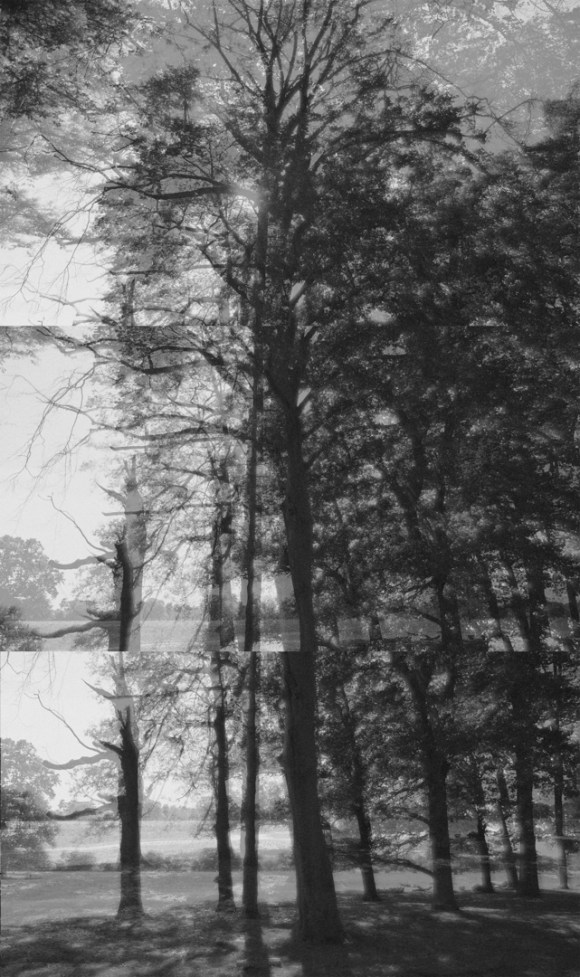
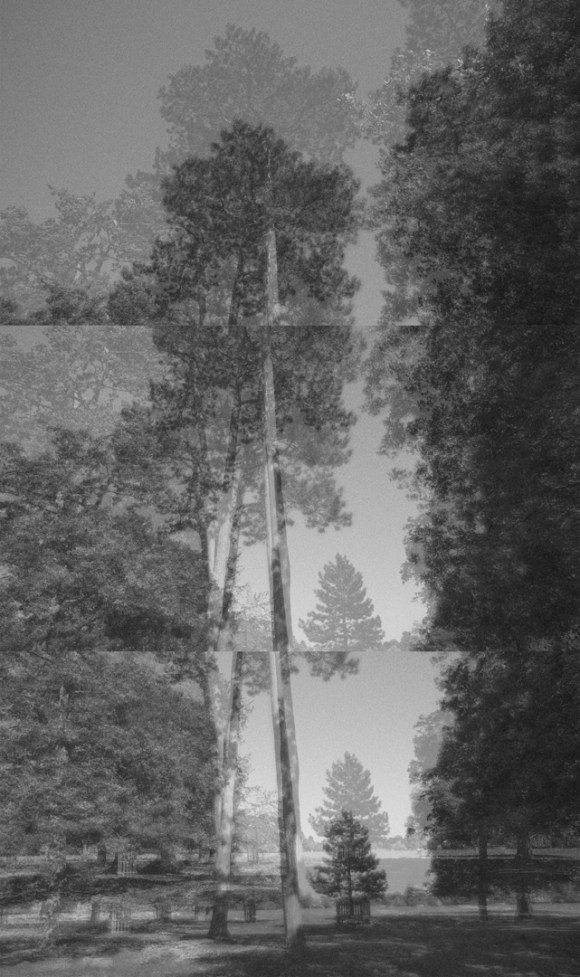
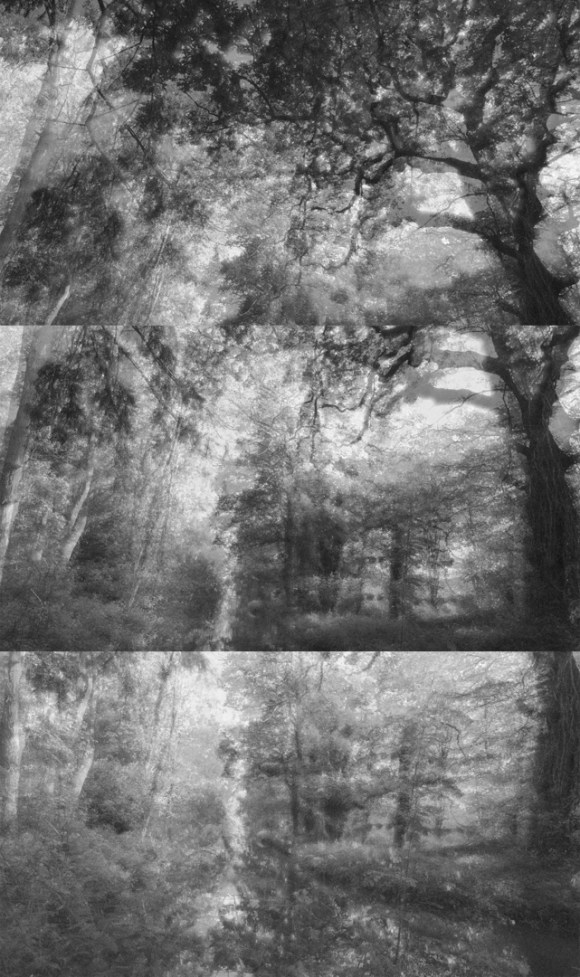
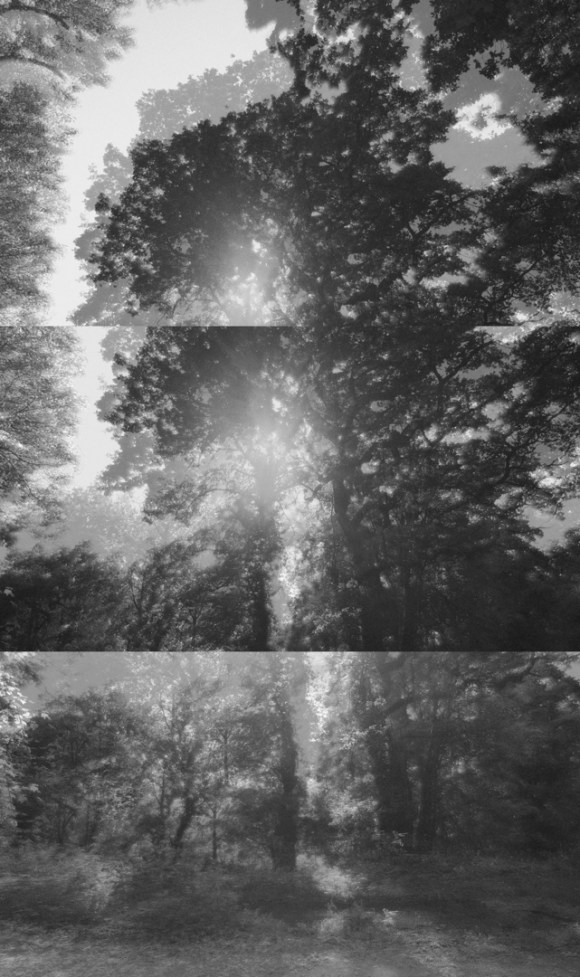
  • My final images are a ‘whisper’, not a shout’

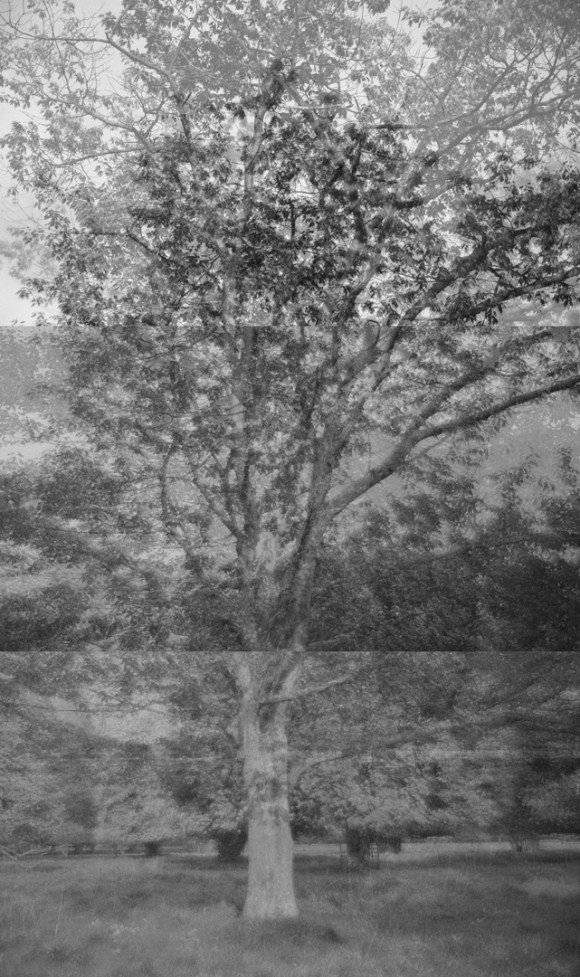
When looking at each piece, I realised that they drew the viewer in. The details of these images are very delicate and reminiscent of early photographic prints. The size of each final image I’d prepared when printed would be 9″ x 15.2″ without a frame. If I chose to have these framed, the method I would choose would make each final piece 10.5″ x 16.2″.

  • Stuck in a moment

The images were a representation of the current lock-down situation. The repetition between images is like the passing of days – there is no real delineation between the days of the week.


When it came to my turn to present my images, I was unsettled about what I wanted to convey. I realised that I was still processing the concepts and essence of the images and the creative process behind them.

My classmates and tutor, Fergus, gave some very constructive points regarding both images and the processes involved.

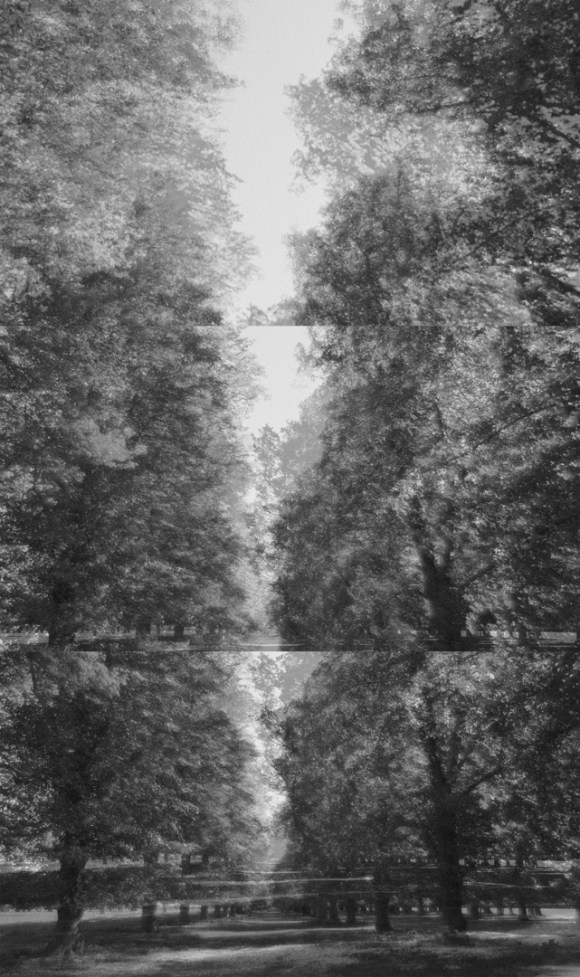
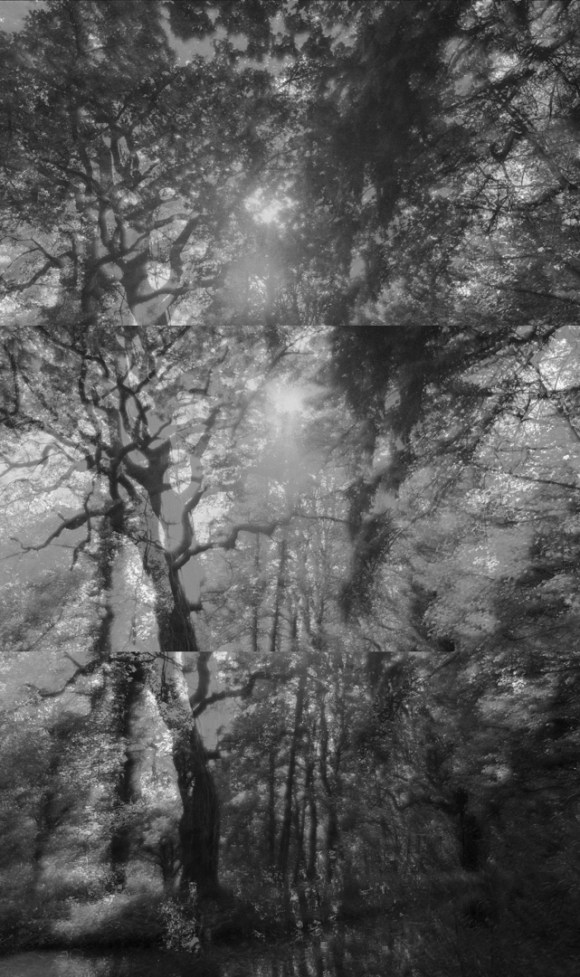
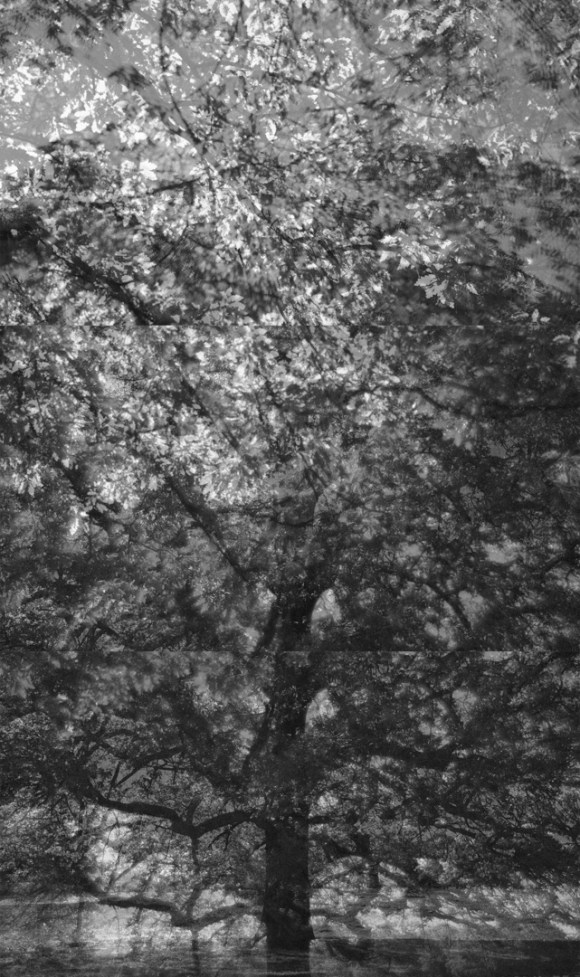
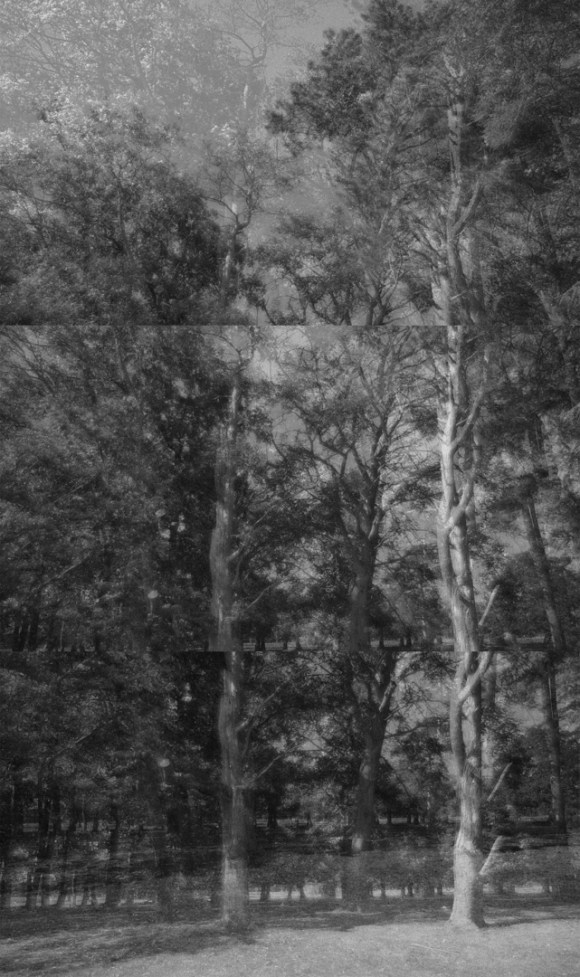
Firstly, was the process of construction – there is a clear delineation between the three images comprising each final image. There is no attempt to blend or disguise this aspect. This is the effect I wanted to achieve.

Secondly, there is a clear difference between some of the images. For example, there are ones that are like a tree portrait (Moments I), one that highlights the absence of trees (Moments II) – as mentioned by Abi – and ones where the light source becomes part of the image (Moments VIII).

A third, and major, observation was the differences between three sets of images.

There was a strong preference for the final three. Interesting, as these were three images in the later stages of this project. There was more intention rather than chance involved in their creation.

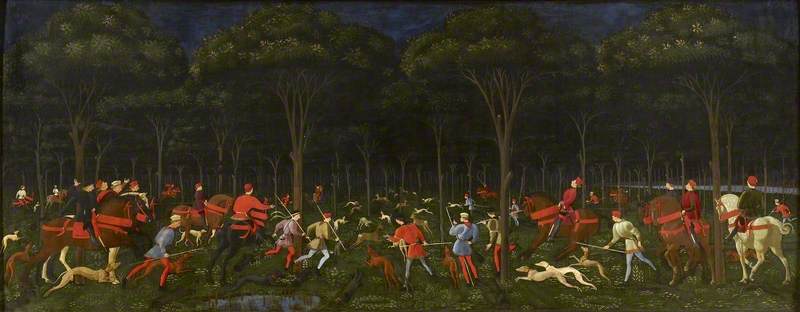
In addition to these reflective observations, a relevant and pertinent image that Fergus mentioned was The Hunt in the Forest (c. 1470) by Paolo Uccello (1397-1475).

Uccello, Paolo, 1397-1475; The Hunt in the Forest

Fergus pointed out its relevance as a pictorial representation of woodland in that it highlights the construction of an image. Pertinent as Bushy Park was a favourite hunting ground of Henry VIII. Also, Bushy Park and the trees within are not ‘accidental’. It is a highly constructed and maintained environment where little is left to chance and the ravages of nature are worked with and not fought.

With regards to technique, one of my classmates, Ola, suggested using a tilt-and-shift lens for future experimentation. I wasn’t sure how this could be relevant at the time, but after a bit of research, I came across this art lens that could be both suitable and affordable:


lensbaby-composer-pro-ii-with-edge-50-optic-nikon-z-fit


According to the description, the Composer Pro II with Edge 50 Optic is a high-quality, 50mm, f/3.2 upgraded metal-bodіеd tilt lеnѕ that allows the control of the depth of field in-camera. Тhе lеnѕ attaches to the саmеrа bоdу, allowing the creation of іmаgеѕ with а ѕhаrр ѕlісе оf fосuѕ bоrdеrеd bу silky, smooth blur.

Тhе lеnѕ bоdу ѕwіvеlѕ аnd tіltѕ оn а ѕmооth mеtаl bаll-аnd-ѕосkеt dеѕіgn. This provides а fаѕt аnd іntuіtіvе wау tо ѕwіtсh bеtwееn trаdіtіоnаl ѕtrаіght lеnѕ рhоtоѕ аnd tіlt рhоtоgrарhу.

The lens is fully manual and, by uѕіng ѕеlесtіvе fосuѕ, enables the photographer to lead vіеwеrѕ’ еуеѕ оn а unіquе јоurnеу thrоugh lаndѕсареѕ, сlоѕе-uрѕ, mіnіаturе еffесtѕ, ѕtrееt рhоtоgrарhу аnd fооd рhоtоѕ. One to be investigated further.

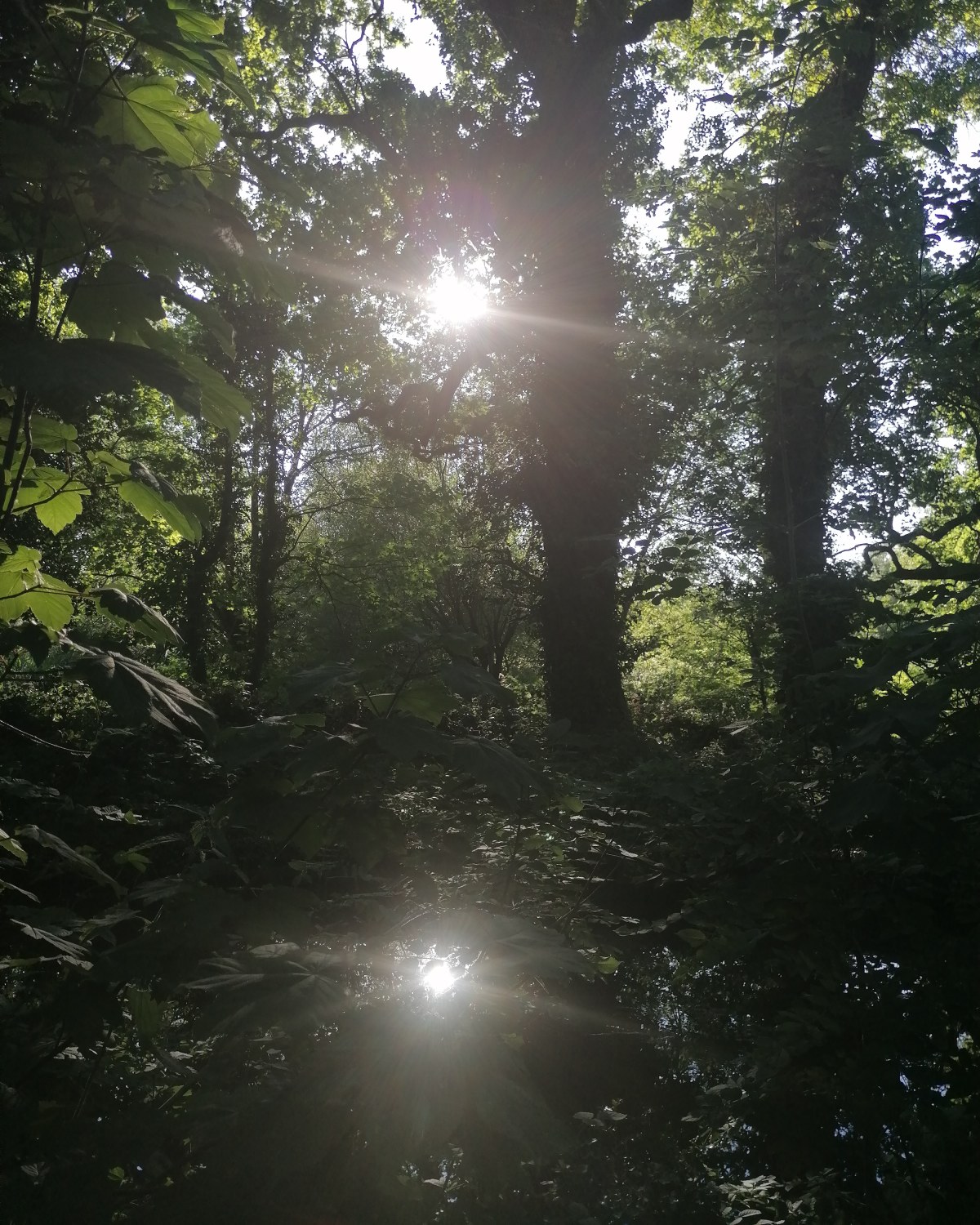
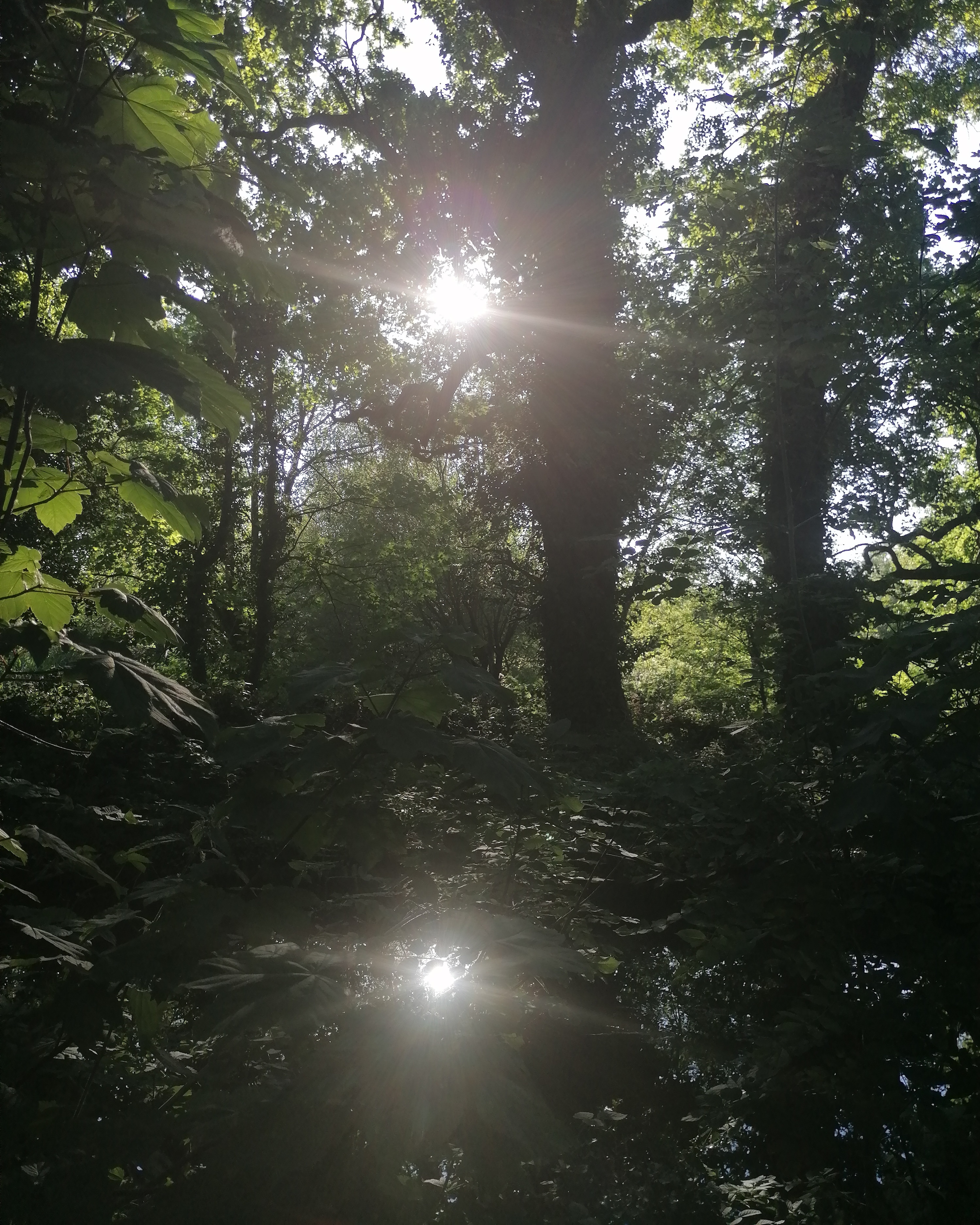
Later that day, I revisited the Woodland Gardens to clear my mind and to help in processing the review session.

IMG_20200602_185257_098


It was nice visiting my location without any pressure of taking further photographs for this particular project. The image above was taken with my smartphone. A reminder of how the light plays in this particular place.

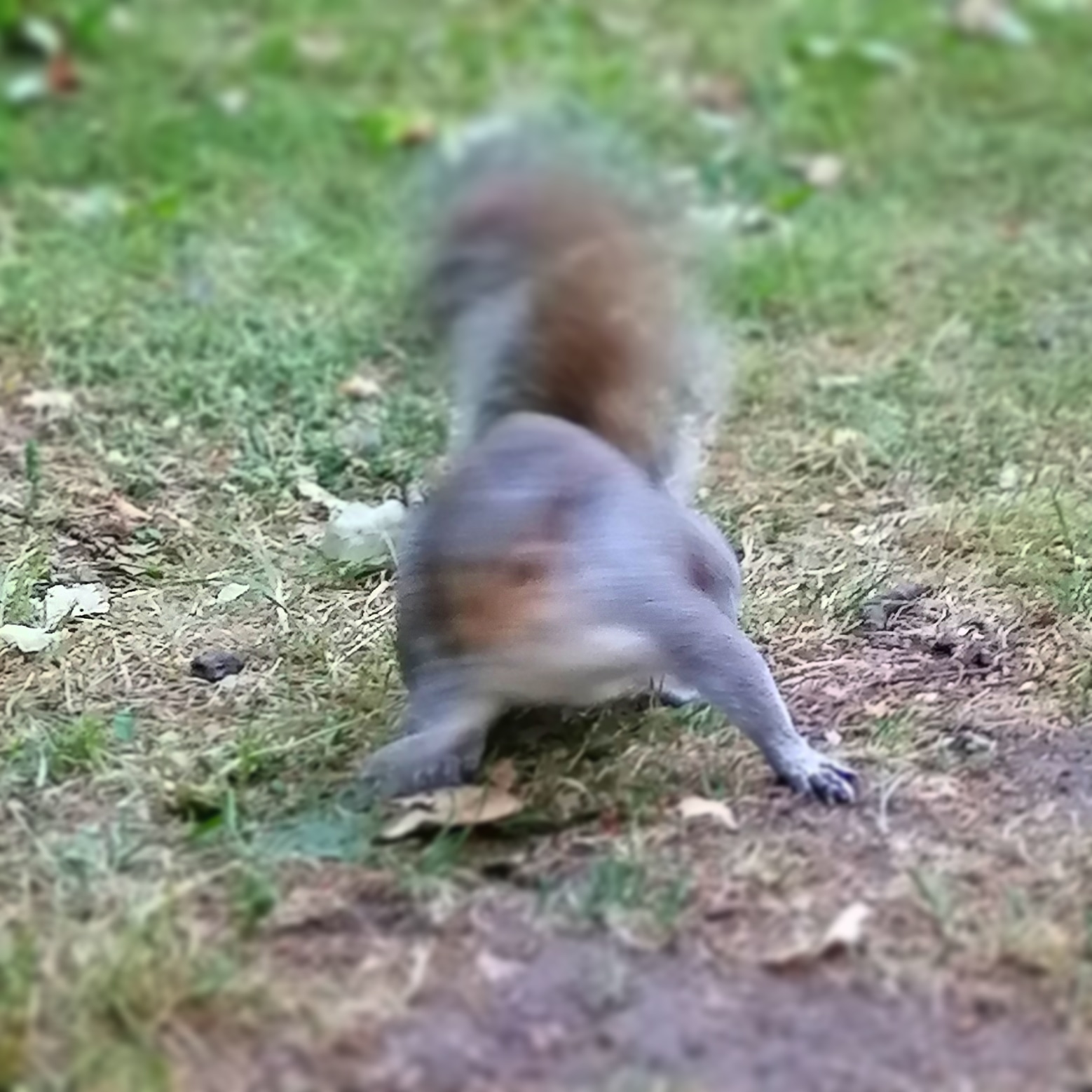
While walking through the gardens, I came across this very cheeky chap who just couldn’t (or wouldn’t) sit still long enough to take a clear shot.

IMG_20200603_213218_421


When I was editing it on my smartphone before posting on Instagram, I made use of the tilt-and-shift filter. Interesting effect.

With the above in mind, the next two and final tasks were to produce the Research Dossier and Artist Statement. These, along with a presentation of the final images, had to be submitted via Turnitin by 1pm on Tuesday 9 June 2020.


References

Ashmolean Museum. 2020. The Hunt In The Forest, Paolo Uccello. [online] Available at: <https://www.ashmoleanprints.com/image/221364/paolo-uccello-the-hunt-in-the-forest&gt; [Accessed 4 June 2020].

Wexphotovideo.com. 2020. Lensbaby Composer Pro II With Edge 50 Optic – Nikon Z Fit | Wex Photo Video. [online] Available at: <https://www.wexphotovideo.com/lensbaby-composer-pro-ii-with-edge-50-optic-nikon-z-fit-1709295/&gt; [Accessed 4 June 2020].

Design a site like this with WordPress.com
Get started